A5 RESULTS - A BRIEF GUIDE
..
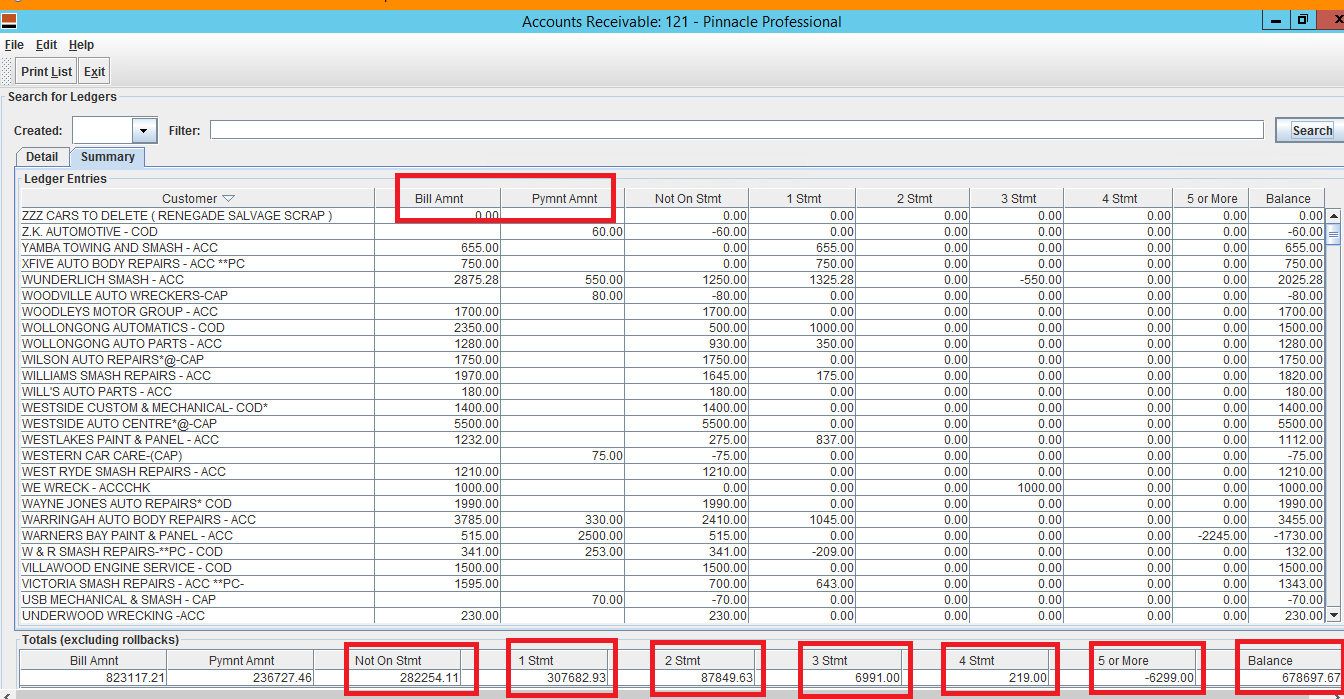

The balance column is regardless if the invoice is overdue or not so as long as the invoice is showing as owing in the payments screen, it will be in the total balance.
Below shows $3300 overdue and $3100 current but the balance gives us the total of 2 figures which is $6400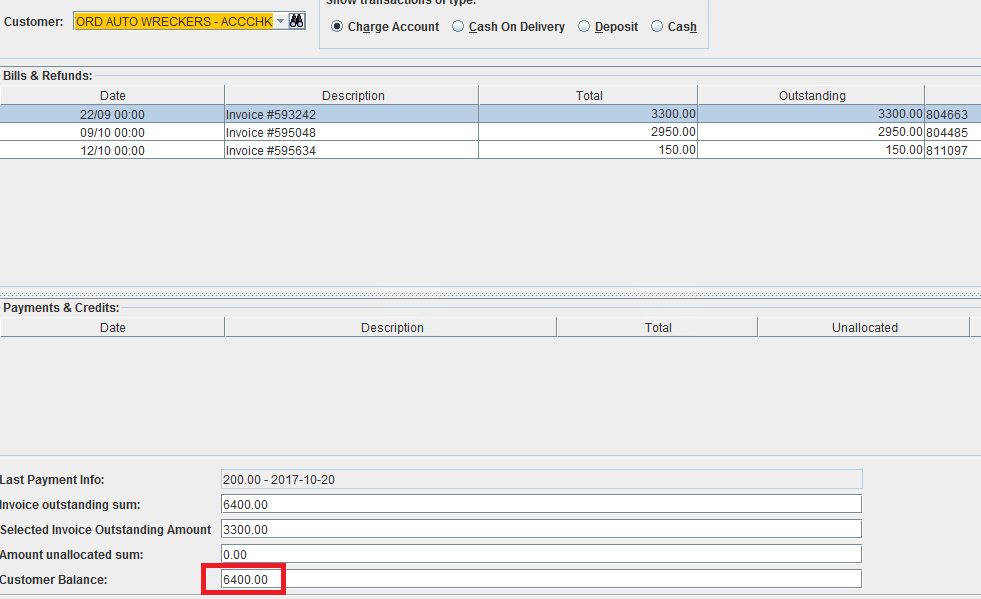
This is a quick explanation for a5 results and what they mean
To view this, go to, MANAGEMENT - ACCOUNTING REPORTS - A5
The Bill Amount and Payment Amount column we disregard as they are showing inaccurate figures.
Not on Statement column - the figures on this column means that the invoices were created after the statement was generated.
E.g.
Statement was generated first working day of the month 10am
All invoices created after 10am will be included in the Not on Statement column total
Statement 1 30 days
Statement 2 60 days
Statement 3 90 days
Statement 4 120 days
Statement 5 150 days
The statement balances will not move not unless statements were generated
E.g.
It's already the 20th of the month but someone has forgot to do Statement task (generation)
That means the 30-60-90-120-150 day balances arent accurate anymore as the figures didn't move on time
This explains why it is important that the Statement task is done at the first working day of the month
Balance is the total amount of invoices showing in the Payments Screen
E.g.
The a5 balance shows that Gosford Auto Wreckers owes us a total of $6400
The balance column is regardless if the invoice is overdue or not so as long as the invoice is showing as owing in the payments screen, it will be in the total balance.
Below shows $3300 overdue and $3100 current but the balance gives us the total of 2 figures which is $6400
Related Articles
JJ AUTO PARTS MANAGERS GUIDES
Link to guide docMANAGING WORK ORDERS - OPERATIONS STAFF GUIDE UPDATED 06/10/2021
WHY? We do this so we don't miss any issues that needs action. OPERATIONS STAFF will use the work order manager so they can view all orders as they are process thru the different production departments OPERATIONS STAFF can view and update with any ...GUIDE TO THE TRAINING GUIDE
GUIDE TO THE TRAINING GUIDE The training guide is used to structure the training given to staff that are new in the role It a working document that is updated as our processes update and important that the document is kept up to date When training ...TOLL IPEC -SHIPPING TIME GUIDE
See attached doc this shows how long items take to get delivered on averageSearch Results screen -Quote ,Invoice History and vehicle details
Link to guide doc