EBAY OFFER ISSUES - HOW TO RESPOND IF EBAY HAS GLITCH 2/6/17
2/6/17
We currently have an issue with Ebay. They are working to fix this.
When customer sends through offer, we cannot respond.
To work around this:
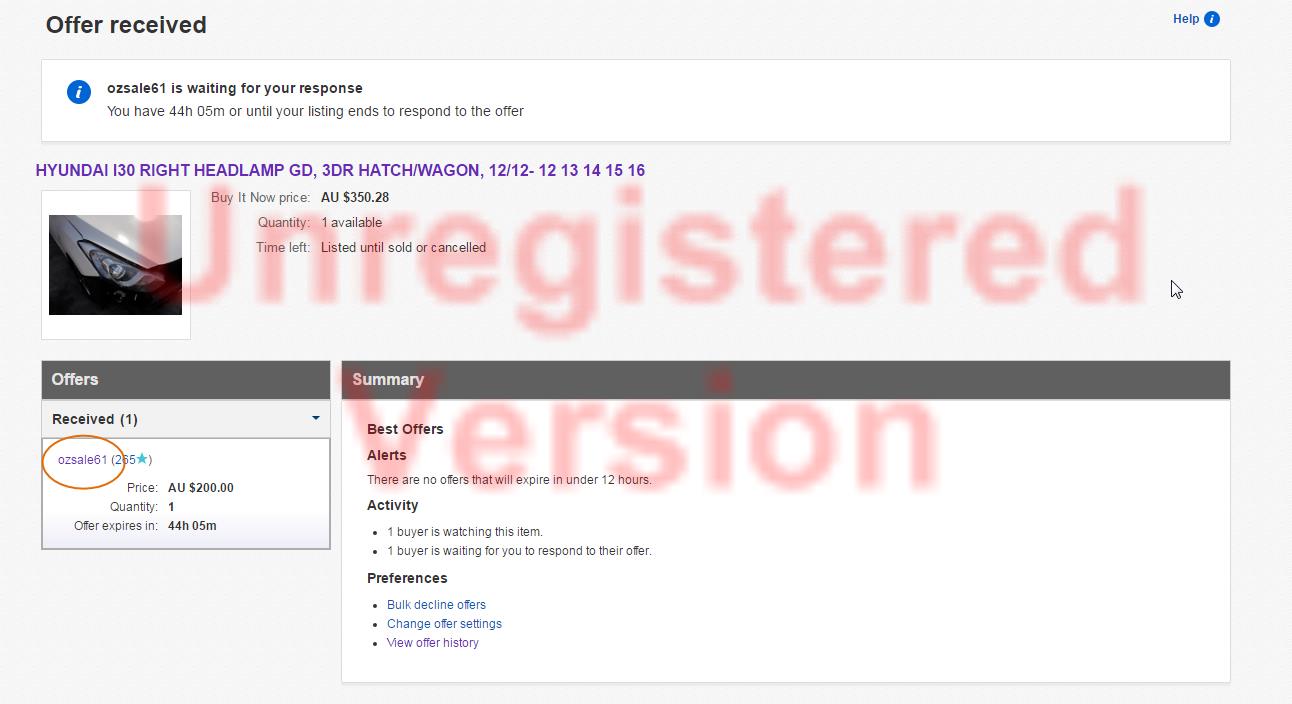
Click respond to offer in Zendesk Ticket as normal. You will then be presented with this screen:
You will need to click the USER NAME of the customer who made the offer
Then click the contact button:
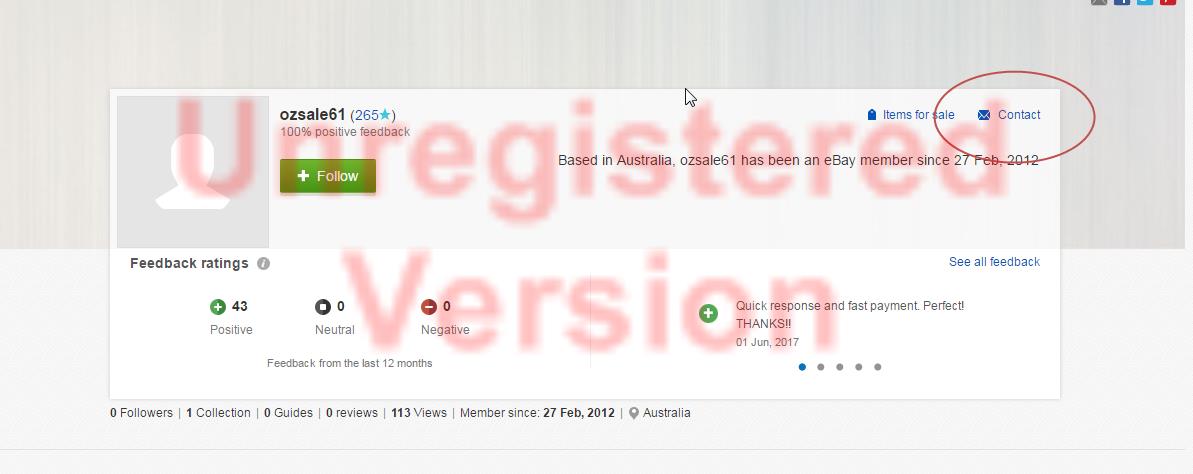
This is where we can message seller about the offer if we are going to accept the offer or counter offer. (note, we cannot add emails, websites or phone number to messages)
Script example:
Then click the contact button:
This is where we can message seller about the offer if we are going to accept the offer or counter offer. (note, we cannot add emails, websites or phone number to messages)
Script example:
Hi,
Thank you for your offer.
As you may be aware, Ebay currently has an issue where we cannot respond to offers made on our But It Now items.
We apologize for the inconvenience. We hope this issue will be resolved soon.
In the meantime, you are welcome to call us 8am - 5pm Mon to Fri and we can discuss price/purchase over the phone.
Alternatively, you can leave offer pending and we will respond to it as soon as Ebay has resolved issue.
Thank you for your understanding
jjautoparts123
If we are going to decline the offer, we can still do this by clicking Bulk decline offers
We can still add a message to this as you would normally.
Related Articles
A.RESPONDING TO EBAY OFFERS WITH NO TERMS ADDED
SET UP FOR THIS TASK Link to doc with screen set up for this task ---------------------------------------------- NOTE: TRIGGER TICKET: THIS IS YOUR REMINDER OF THE TASK GIVEN TO YOU. Setting: Type: TASK Priority: HIGH DUE DATE: DATE YESTERDAY The ...RESPONDING TO EBAY OFFERS
LINK TO GUIDEEBAY OFFERS - NO NOTIFICATION IN ZENDESK
VIDEO INSTRUCTION There will be instances where in we will not receive notifications or e-mail for OFFERS / COUNTER OFFERS. To check these offers, you may click on this hyperlink: EBAY OFFERS - NO NOTIFICATION IN ZENDESK Once you're at the website, ...RESPONDING TO EBAY PART INQUIRIES
LINK TO GUIDE DOCLETTER OF OFFER GUIDE FOR NEW STAFF - JJ SYDNEY
LINK TO GUIDE